.png?width=260&height=84&name=WORLDVIA%20TQN%20COMBO%20LOGO%20(1).png "WorldVia Travel Network Logo")
.png?width=155&height=50&name=WORLDVIA%20TQN%20COMBO%20LOGO%20(1).png "World Via Travel Network")
AI Tip: Daily Cruise Brief with ChatGPT Scheduled Tasks
 Jason Block
6 min read
Jason Block
6 min read
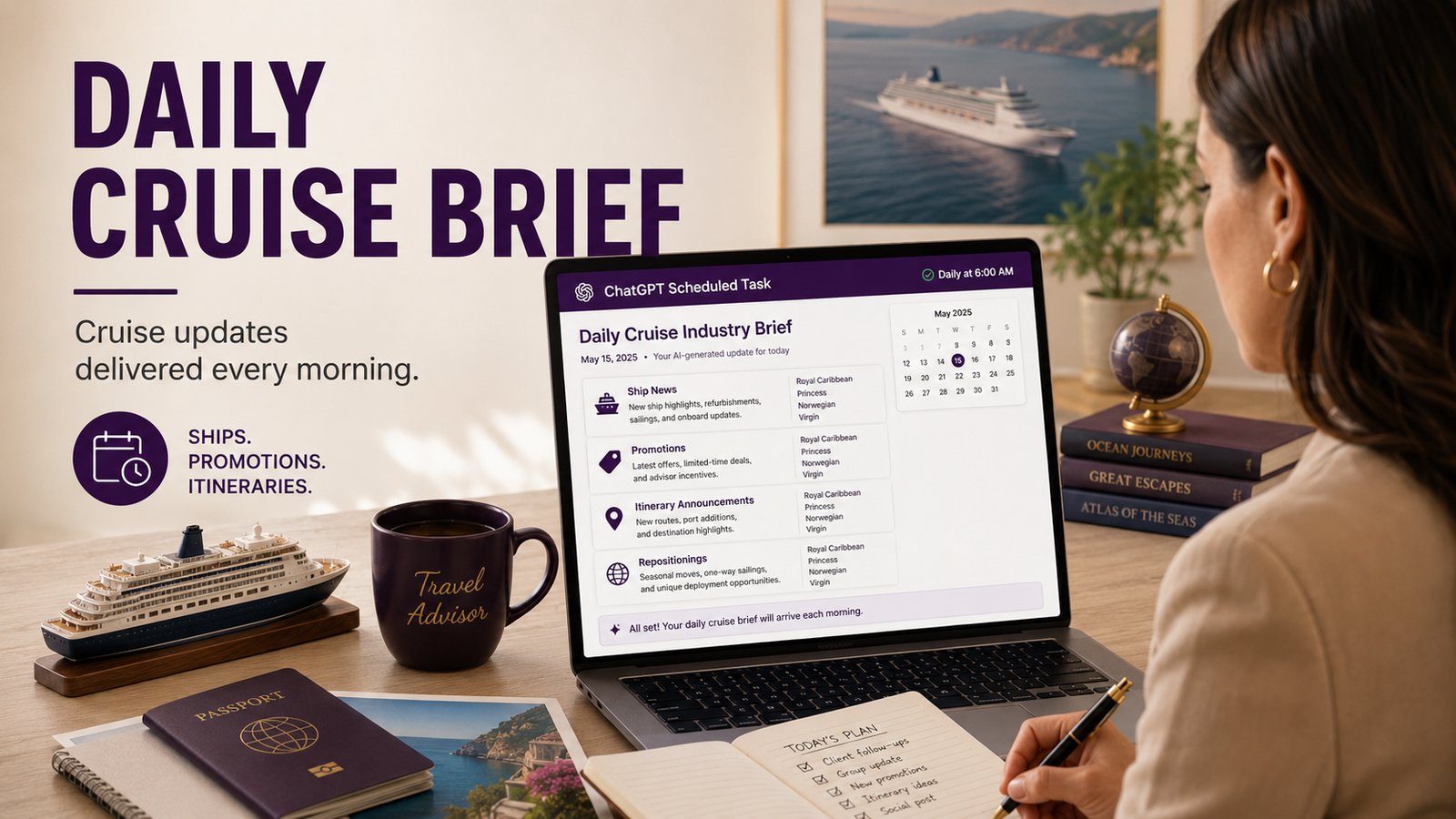
Turn ChatGPT into a daily cruise-news briefing assistant, so you are not trying to keep up with every ship launch, promotion, deployment change, and itinerary announcement on your own.
Complexity Level: ✈️✈️ (2 out of 5 — about 5 minutes to set up, then it runs for you each day)
The cruise industry moves fast.
A new ship is announced, a refurbishment changes the onboard experience, a limited-time offer quietly appears, a ship gets redeployed, a new itinerary opens up that is perfect for a client you spoke with two weeks ago, and sometimes that was just before lunch.
You can try to catch all of that manually.
Or you can have ChatGPT do a first pass for you every morning.
That is where Scheduled Tasks come in.
What are ChatGPT Scheduled Tasks?
Scheduled Tasks are exactly what they sound like: you give ChatGPT a job and tell it when to run.
Instead of opening ChatGPT, typing a prompt, and remembering to do it again tomorrow, you can set the task once and have ChatGPT bring the result back to you on a schedule.
For travel advisors, this is one of the more practical uses of AI because it is not asking you to change your whole workflow. It is just moving one recurring habit off your plate.
You can use Scheduled Tasks for things like:
- A weekly client-trip briefing
- A daily destination news scan
- A monthly marketing idea list
- A reminder to follow up with past travelers
- A supplier promotion digest
- Or, in this case, a daily cruise industry brief
The key is to make the task specific enough that ChatGPT knows what matters to you.
“Tell me cruise news” is too broad.
“Create a daily cruise industry brief for a travel advisor, focused on new ships, refurbishments, promotions, itinerary announcements, and repositionings for these four cruise lines” is much
better.
The daily cruise brief prompt
Paste this into ChatGPT when creating your Scheduled Task:
Create a daily cruise industry brief for me as a travel advisor.
Focus on developments from the past 24–48 hours, with priority given to items that are new, actionable, or commercially relevant for advisors. Cover these cruise lines:
- [Insert a list of your favorite cruise lines]
Primary topics to monitor:
- New ships, ship launches, hardware updates, and onboard product changes
- Refurbishments, dry docks, redeployments, and ship repositionings
- Promotions, limited-time offers, booking incentives, and advisor/client sales opportunities
- New itinerary announcements, port changes, destination updates, and deployment news
- Strategic moves that may affect demand, pricing, client conversations, or sales positioning
Format the brief as follows:
1. Executive Summary
Give me 3–5 bullets on the most important cruise industry updates today.
2. Line-by-Line Updates
For each cruise line, summarize relevant news. If there is no meaningful update for a line, say “No major advisor-relevant updates found.”
3. Advisor Takeaways
Explain why the updates matter from a sales, marketing, or client-service perspective. Include suggested talking points where useful.
4. Opportunities to Act On
List any promotions, deadlines, itinerary launches, or client outreach opportunities I should consider today.
5. Sources
Include links to the original sources used. Prioritize official cruise line announcements, reputable trade publications, and major travel industry news sources.
Keep the tone concise, practical, and advisor-focused. Do not include generic cruise news unless it has a clear business or client-advisory angle. Do not speculate beyond the sources; clearly label anything uncertain.
The sales-oriented addition
Consider adding this sentence near the top if you want it even more sales-oriented:
Write this as something I can quickly use to brief myself or turn into client-facing sales ideas.
How to set it up
Open ChatGPT and look for Scheduled in the sidebar on web or mobile.
From there, create a new task, paste in the prompt, and choose when you want it to run. I would start with a weekday morning schedule, maybe 7:00 or 8:00 AM, so it is waiting for you before your day gets moving.
You can also create the task conversationally. Just tell ChatGPT something like: "Every weekday morning at 8 AM, run the following task for me:" Then paste the prompt underneath.
Once the task is created, ChatGPT will confirm the schedule. You can edit, pause, resume, or delete it later if you want to adjust the timing or change the instructions.
A few practical notes
Do not treat the brief as the final word. It's just your first scan.
- Click the sources
- Verify the offer terms
- Check dates
- Confirm whether something applies to new bookings only, certain sailings only, or specific categories.
AI is very useful here, but supplier promotions and deployment changes are exactly the kind of thing you should verify before you share with a client.
I would also keep the list of cruise lines manageable at first. Four or five lines is a good start. If you ask it to watch every cruise line in the world, you will probably get noise. Start with the brands you sell most often, then expand only if the brief is consistently useful.
You can also customize the prompt by niche.
- If you sell a lot of family travel, tell it to flag family and multi-gen angles
- If you sell luxury, tailor your cruise line list accordingly
- If you sell groups, ask it to highlight anything that could create a group opportunity
The better the task understands your business, the better the briefing becomes.
Try this today
Create one Scheduled Task for one recurring thing you already wish you remembered to do.
For cruise sellers, start with the daily cruise industry brief. Let it run for a week, then ask yourself one simple question: Did it catch something useful that I might have missed?
– Keep building with AI,
Jason
Leave a comment below, or click subscribe to get daily AI Tips for Travel Advisors straight to your inbox.







.jpg?width=28&height=28&name=worldvia%20dec25-44%20(2).jpg)