.png?width=260&height=84&name=WORLDVIA%20TQN%20COMBO%20LOGO%20(1).png "WorldVia Travel Network Logo")
.png?width=155&height=50&name=WORLDVIA%20TQN%20COMBO%20LOGO%20(1).png "World Via Travel Network")
AI Tip: Ask Your Own Booking Data Where You're Leaving Money on the Table

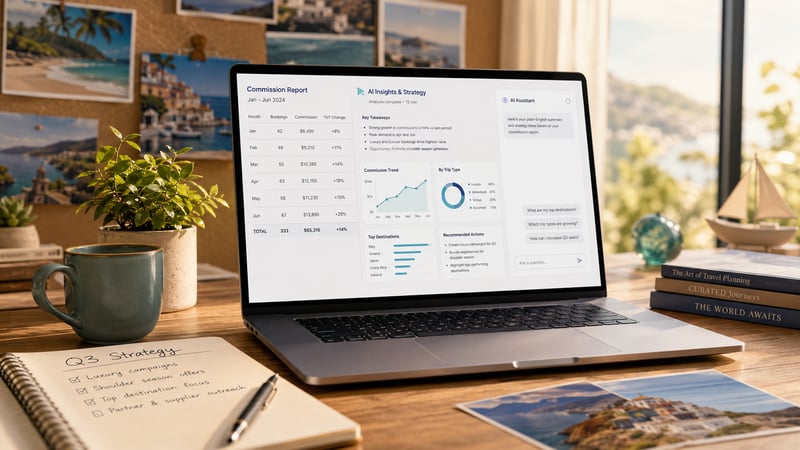
Turn your commission report into a business strategy in 15 minutes.
Complexity Level: ✈️✈️ (2 out of 5)
Hotel and airline revenue teams have started asking questions about their own occupancy and revenue data in plain English — Amadeus showed off a version of this at HITEC, the big hotel-tech conference. The new part is the direction you point the AI: at your own business numbers for analysis, not at a client email for polishing.
You sit on the same kind of gold mine: your commission statements, your booking history, your client list. You can run the same play for free.
-
Open or export your most recent commission report(s). Ideally, a year's worth of data in one or more spreadsheets or PDFs is fine.
-
Strip out the sensitive stuff first. Remove client names and anything that identifies a person. Keep the numbers, destinations, trip types, dates, and dollar values. Do not paste client names or personal details into a public AI tool!
-
Paste the cleaned report into ChatGPT, Claude, or Gemini and ask these questions:
1. What patterns do you see in this data — destination, trip type, average booking value, time of year?
2. Based on these numbers, where am I likely leaving money on the table?
3. What niche/product category should I consider doubling down on next year?
-
Read the answers as a starting point, not gospel. AI is good at spotting the patterns that you are too busy to notice across a full year of bookings. You need to decide which ones are worth acting on though.
You might learn that river cruises are a third of your revenue from a tenth of your bookings, or that you quietly own honeymoons in one region. That is the kind of thing a busy advisor feels but rarely sees laid out in numbers.
Try this today: export your most recent commission report, remove the client names, and paste it into your AI tool with question one.
– Keep building with AI,
Jason
Leave a comment below, or click subscribe to get daily AI Tips for Travel Advisors straight to your inbox.
-1.png?width=400&height=500&name=Jasons%20Weekly%20Message%20Images%20(13)-1.png)





.png?width=500&height=500&name=Untitled%20design%20(28).png)