.png?width=260&height=84&name=WORLDVIA%20TQN%20COMBO%20LOGO%20(1).png "WorldVia Travel Network Logo")
.png?width=155&height=50&name=WORLDVIA%20TQN%20COMBO%20LOGO%20(1).png "World Via Travel Network")
What You Need to Know about the New AIVIA, WorldVia's AI-Powered Business Partner
 Jason Block
6 min read
Jason Block
6 min read
.png?width=1600&height=1237&name=Jasons%20Weekly%20Message%20Images%20(25).png)
You know that feeling when you’re mid-client call, 14 browser tabs deep, and you can practically hear your to-do list multiplying in the background? That’s the moment AIVIA, our AI-powered business partner here at WorldVia, was built for.
Starting last week, the new AIVIA experience began rolling out gradually across our network. Over the next two weeks, more and more of our advisors will get access as we expand the release. This is the first drop in what will be a very busy year of tool enhancements, all aimed at one outcome: boosting advisor productivity so you can spend less time on mechanics and more time on relationships.
I should stress: AIVIA is not a “chatbot.” It’s the bedrock.
The new AIVIA is a more robust platform with more capabilities, and it is the foundation we’re building the agentic future for professional travel advisors on. Think of it like pouring a concrete slab before you build the house. Not the flashy part, but the part that determines how strong the whole thing becomes.
This does not replace you. It clears the clutter so your expertise, instincts, and personal touch can show up more often, and at higher volume. But that doesn’t mean the new AIVIA experience doesn’t have some immediate upgrades over the previous version.
Three example ways to use AIVIA right now
- Supplier answers in seconds (when speed matters most)
Say you’re looking for some supplier information. You’d need commission details, BDM contact info, or the right advisor portal link without digging through emails or looking up the supplier on our CRM, WorldVia PRO. Meet the Command Bar. This is the always-on, on-every-page chat input that doubles as a search bar. Type just the first few letters of a supplier and you’ll instantly see a pop-up card with the key supplier info you need. - Website feedback without paying a consultant
If you’re thinking about tightening up your site, ask AIVIA to review it using proven WorldVia frameworks and training principles. You’ll get a punch list you can actually act on, not vague “make it more modern” advice. See a sample prompt below. - Faster marketing momentum
Need quick visuals or content ideas for a post, an email, or a niche landing page? Use AIVIA to pull options, tighten your message, and help you ship work faster. The best marketing is the marketing you actually publish. For a super-fast image search, select Photo Search mode from the Command Bar’s ‘+’ menu and just type in a destination. Boom, great, royalty-free photos almost instantly.
What to do this week
If you get access right away, here’s your simple challenge: use AIVIA once per day for five days.
One supplier question, one marketing draft, one client-facing message, one research prompt, one “how do I explain this clearly?” moment. Five small reps. You’ll feel the compounding effect.
If you don’t see the new experience yet, no stress. You’re in the rollout queue and should see it appear as we expand access over the next two weeks.
And I promise, we’re just getting warmed up and are making advancements in the underlying logic almost daily. So check back often and watch as the tool becomes even more valuable all the time.
What’s next on the roadmap?
This year is about acceleration. After this rollout, our next development focus is:
- Continued enhancements to AIVIA’s core powers, making it smarter, faster, and more useful inside advisor real workflow.
- A new, intuitive, powerful invoicing and commission management system, designed to reduce admin drag and give advisors clearer control of their money and their process.
That second one is a big deal. Advisors should not have to feel like part-time accountants just to run a great travel business.
As always, feedback will shape how fast we improve. When you find something great, tell us. When you hit a wall, tell us. Wins and frustrations are both gold.
Best Success,
Jason
PS – Here’s a sample prompt for doing a website review of your site. If you have a great prompt you’ve tried (in AIVIA or in another tool), I’d love for you to share it with me at jblock@worldvia.com.
Website Review Prompt
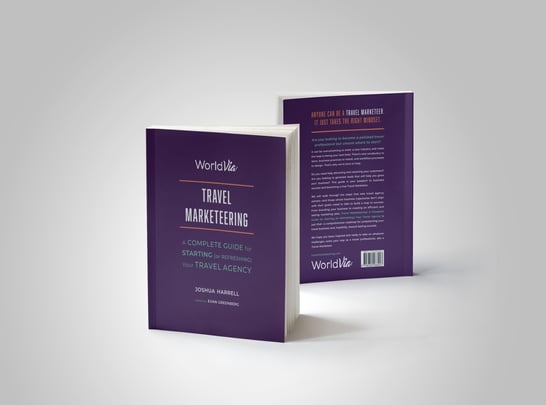
“What would Joshua Harrell think of the website [www.mywebsite.com]? Use the web-scrape tool to get details from this website and the internal knowledge-base tool to get Joshua’s teachings from website throwdowns and other trainings to guide your insights."
AIVIA uses multiple tools (scrapes your site, pulls Joshua's proven frameworks and best practices from his trainings), then delivers a detailed, actionable critique grounded in industry-leading methodology. You get professional-grade insights without hiring a consultant.









.png?width=720&height=405&name=Untitled%20design%20(16).png)